


Creating Professional Dealership Videos on a Budget
Internet and e-Marketing Director Joe Chura breaks down what a dealership would need to shoot professional-grade video at a fraction of the cost it would take to hire a third party to produce videos.

It sometimes can be hard to provide reasoning to spend a dealership’s money on anything other than traditional advertising. Even though you may understand, chances are someone in the organization doesn’t.
Spending money on videos is no exception.
The good news is for less than $200 you can create and edit your own videos. If you want to really get creative, you can literally create a video studio for a bit more. This will save thousands in video production costs.
Video Camera
Get yourself a compact video camera. While many people are on the Flip Video craze, the Kodak ZI8 is not only a better camera, but it’s cheaper as well! The Kodak camera has an external mic input which allows for great sound. It also has 1080p video recording technology, which is code for true high definition, the same quality as a BluRay player. However, for the web, I recommend shooting in 720p mode, otherwise your audience may fall asleep as it buffers. Nonetheless, with the supplied mini HDMI cable, it is a great feature for home videos and the like. Quick tip: the Kodak ZI8 is on Amazon for $119! If you sign up for one year of audio books at Audible, you can get a $100 gift certificate. The audio books are $12 per month. If you listen to audio books, this is the way to go.
Video Camera = $119
Video Editor
Get a decent video editor. There are many video editors out there. Cyberlink’s PowerDirector is extremely easy to use and is less than $70.* Quick tip: a free trial of the software is usually available on cnet.com. It has plenty of features for you to create great videos. Once you master that, then I would recommend upgrading, but I don’t think you will need to. The one item lacking with Cyberlink is their support. However, you can find most of the FAQs on forums or search engines. With PowerDirector, you can upload straight to Facebook or YouTube as well.
Video Editor = $70
*(Editor's note: Since the publication of this article, Cyberlink has released the newest version of PowerDirector, PowerDirector 9, which retails for $99.95. Earlier, less expensive versions of the software can still be found on Amazon.)
To upgrade your video production consider the following options:
Green Screen
For added flexibility buy a green screen. What? That’s right; with editing software like Power Director you can easily utilize green screen technology, much like a weatherman. You can also pick one of these up on Amazon for less than $40. With many of the video editors, it is simple to chroma key (combine) the videos. Then you can place any background you want and really give your video the professional touch.
Green Screen = $40
Proper Lighting
If you do go the green screen route, then get some lighting from your local Lowe’s, Menards, Home Depot, Ace, etc. Look for the work lights and buy two of them. They are typically less than $29 each. Point both at the green screen on a 45-degree angle from each side. There are many demonstrations of how to do this on the web. You may also need some sort of soft lighting. This too you can buy off Amazon. The local lighting stores typically mark soft lighting up quite a bit so buying online is your best bet.
Lighting = $58
Microphone
A decent microphone is not as expensive as one would think. In fact, Radio Shack has a monaural mic for less than $15. Don’t forget a microphone extension cord as well, which can cost $10. You may also want a lapel mic which Radio Shack sells for less than $30. If you have a Flip camera, it doesn’t have a mic input so an external microphone is not necessary.
Microphones = $55
Once you have all of your supplies, it’s time to go to work. You can shoot dealer testimonials, walk-arounds, dealership personnel interviews and much more. However, with the editing software and green screen, you can also create commercials and website introduction videos. This will save thousands in terms of production work.
Once your video is produced, you have many choices for syndication. As previously noted, you can upload directly to YouTube from your editing software. However, there are many other video platforms out there, such as Viddler and Vimeo. You can also explore TubeMogul.com which will syndicate to many other sites. It’s a good idea for SEO purposes to syndicate to multiple sites and TubeMogul does it for free!
Vol. 7, Issue 10
More Dealer Ops

How to Avoid Phone Scams | Dealer Debrief 09/10/2026
Are you taking the necessary steps to protect your dealership and customer data from phone-based scams? This week's Dealer Debrief breaks down how!
Read More →
Dealer Debrief: August Auto Sales
Gas-powered engines still dominate the U.S. vehicle market, but hybrids are gaining ground as consumers look for ways to cut their gas costs.
Read More →
Dealership Profits Decline
While new and used retail sales stagnated, dealerships have been particularly supported by fixed operations and finance-and-insurance profits, according to a new report.
Read More →
Dealer Debrief: Defection Data & EV Updates
In this week's debrief, host Lauren Lawrence discusses how to use defection data to your advantage and the latest on EV sales and charging infrastructure.
Read More →
How Defection Data is Bridging the Dealership Conversion Gap
Lead volume is flat, cross-shopping is up and brand loyalty is in retreat. As confident sales teams keep losing buyers they thought they had, daily industry sales data is showing dealers exactly where their funnel is breaking and how to fix it without buying a single new lead.
Read More →
Dealer Debrief: Where are you losing customers?
In this week's debrief, host Lauren Lawrence discusses the hidden leaks in dealerships where you might be losing customers without even realizing it.
Read More →
Dealer Debrief: Improving Your Inventory Management
In this week's debrief, host Lauren Lawrence covers a new survey that shows what service technicians really want and two launches that could help improve your inventory and vehicle life cycle management.
Read More →
Ladies and Gentlemen, This Is a Dealership: Why the Fundamentals Still Decide Who Wins
A teaching moment by a legendary football coach happens to apply perfectly in the auto retail space. Learn what it is and how to use it to your store’s advantage.
Read More →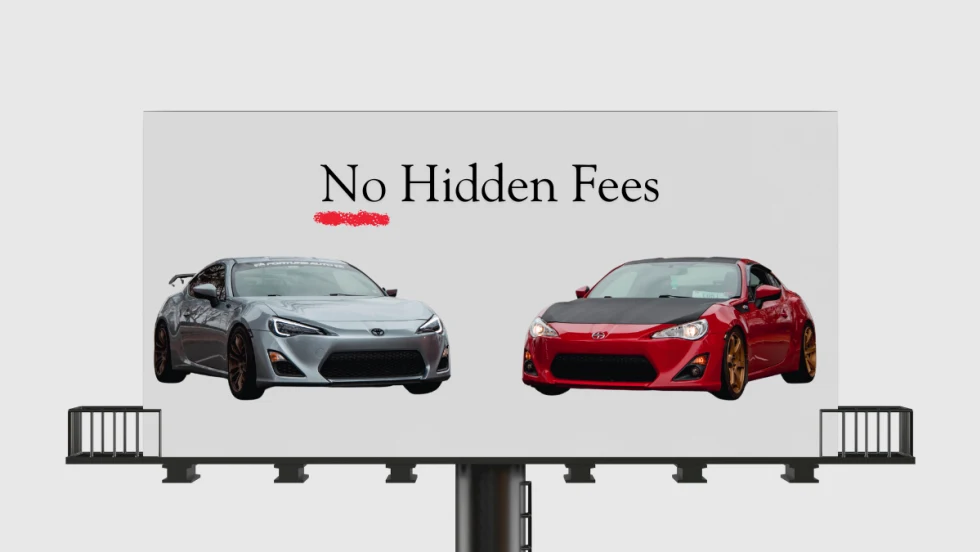
Dealer Ads and the FTC
The agency has made it clear in recent enforcement actions and warnings, in auto retail and other industries, that advertised prices must include all nonoptional costs to the consumer.
Read More →
Used Autos Supply Dwindles
The March shopping surge, despite high prices, cut into inventory by the most since the thick of the pandemic, Cox Automotive analysts calculated.
Read More →