



End Antivirus Overkill
Jeff Smelley - A successful Internet security policy, when practiced, will provide the highest degree of protection while not adversely impacting your computer’s performance or encroaching on your work day.

Are you protecting your computer or killing it? This is a question everyone should ask with regard to their anti-virus and firewall protection. In an effort to secure the greatest protection, you may be degrading your system’s performance and spending unproductive time dealing with Internet security issues, or you may unaware of your potential risk.
A successful Internet security policy, when practiced, will provide the highest degree of protection while not adversely impacting your computer’s performance or encroaching on your work day. Such a policy should include protection from computer viruses, Trojan horses, worms, and any number of other electronic intruders collectively referred to hereafter as “anti-virus protection”. For more information on establishing your policy, see my previous article entitled “Protect Your Dealership from Electronic Intruders”.
Anti-virus software falls into two categories relative to this discussion: preventive or curative. Preventive protection is constantly monitoring your computer for possible infection and intercepting identifiable viruses before infection happens. These programs monitor e-mail, downloaded files and new programs that may be installed. Preventive protection, because the program is constantly running, slows down your computer. Therefore, having more than one preventive protection program active at a time slows your system even more. I have seen computers that had as many as four preventive protection programs active at the same time. You may as well have set the parking brake on your computer.
All actively running programs are listed in your Windows task bar. Background programs like your preventive protection programs are found at the far right of the task bar next to the current time display. There is usually a button to see all background programs. The button has an arrow that points to the left, which (when clicked) will expose any hidden icons. Pointing your mouse pointer at each icon will display some information to identify the corresponding program that is running in the background.
If you see more than one anti-virus program (i.e. Microsoft Security, Norton Anti-virus, McAfee etc.), then you are unnecessarily degrading your computer speed. Select the program you wish to keep and get rid of the rest. During this process, you should also make note of any other hidden icon programs that are present but not needed, as these programs also rob your computer of processing speed. Ridding your system of the redundant/unwanted programs requires two steps. First, you should end the currently running version of the programs you do not want by clicking the right mouse button over the respective icons and selecting the option to exit with your right mouse button. Some programs will not have a means of terminating, such as “exit.” If this is the situation, move on to step two, which is uninstalling the program.
Uninstalling is done by clicking on Control Panel, which should be located in your “Start” menu, and then clicking on the Add/Remove Programs icon. Windows will provide a list of all installed programs and you need only click on the programs you want to remove. This will highlight the program and display a change/remove button. Click the change/remove button and the program will be removed from your system.
Earlier, I mentioned curative programs. Curative programs will scan your computer for undetected viruses. It is a good idea to have more than one curative program (Ad-aware, Spybot, SpywareBlaster or one of a thousand others). Each of these curative programs may identify different viral threats and therefore using more than one program provides more thorough protection. These programs can take a while to run and will definitely reduce system performance while running. Scheduling these programs to run when you are not using your computer will eliminate any negative impact on system performance. The easiest form of scheduling is to start the program just before you leave work at the end of the day. You can then select a different program for each day of the week to ensure the best protection possible.
You follow these few steps, your computer will perform better without compromising protection against electronic vandalism.
Vol 4, Issue 4
More Dealer Ops
How to Avoid Phone Scams | Dealer Debrief 09/10/2026
Are you taking the necessary steps to protect your dealership and customer data from phone-based scams? This week's Dealer Debrief breaks down how!
Read More →
Dealer Debrief: August Auto Sales
Gas-powered engines still dominate the U.S. vehicle market, but hybrids are gaining ground as consumers look for ways to cut their gas costs.
Read More →
Dealership Profits Decline
While new and used retail sales stagnated, dealerships have been particularly supported by fixed operations and finance-and-insurance profits, according to a new report.
Read More →
Dealer Debrief: Defection Data & EV Updates
In this week's debrief, host Lauren Lawrence discusses how to use defection data to your advantage and the latest on EV sales and charging infrastructure.
Read More →
How Defection Data is Bridging the Dealership Conversion Gap
Lead volume is flat, cross-shopping is up and brand loyalty is in retreat. As confident sales teams keep losing buyers they thought they had, daily industry sales data is showing dealers exactly where their funnel is breaking and how to fix it without buying a single new lead.
Read More →
Dealer Debrief: Where are you losing customers?
In this week's debrief, host Lauren Lawrence discusses the hidden leaks in dealerships where you might be losing customers without even realizing it.
Read More →
Dealer Debrief: Improving Your Inventory Management
In this week's debrief, host Lauren Lawrence covers a new survey that shows what service technicians really want and two launches that could help improve your inventory and vehicle life cycle management.
Read More →
Ladies and Gentlemen, This Is a Dealership: Why the Fundamentals Still Decide Who Wins
A teaching moment by a legendary football coach happens to apply perfectly in the auto retail space. Learn what it is and how to use it to your store’s advantage.
Read More →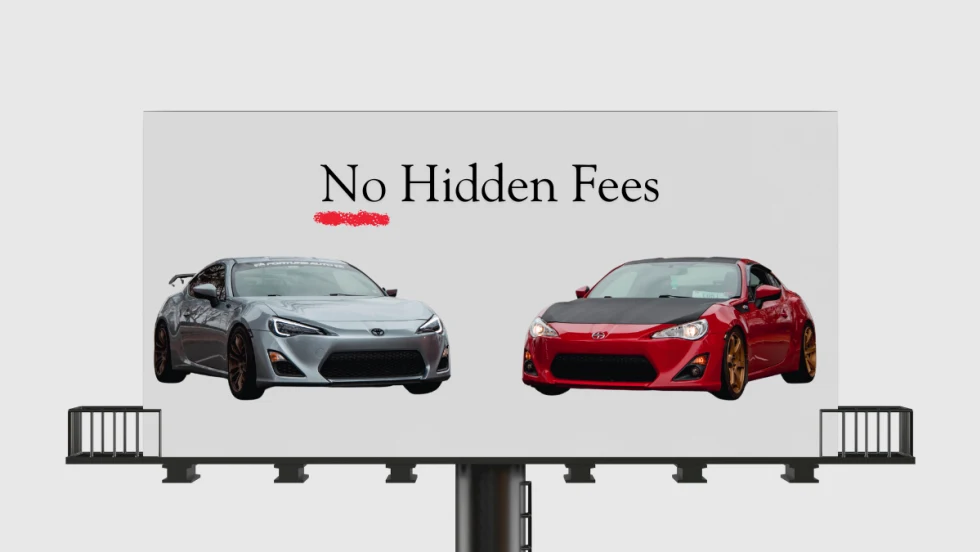
Dealer Ads and the FTC
The agency has made it clear in recent enforcement actions and warnings, in auto retail and other industries, that advertised prices must include all nonoptional costs to the consumer.
Read More →
Used Autos Supply Dwindles
The March shopping surge, despite high prices, cut into inventory by the most since the thick of the pandemic, Cox Automotive analysts calculated.
Read More →