



Windows Vista: To Adopt Or Not
Jeff Smelley - Microsoft’s new Windows product has a “new” look and feel, new features, and improved this and more of that. Microsoft’s literature promises greater productivity, enhanced entertainment, easier use and a plethora of other feel good ...

Microsoft has done it again. The new Windows Vista has been released. It’s in the stores, and if you buy a new computer at a retail store you’re gonna get it. Boy are you gonna get it! Microsoft’s new Windows product has a “new” look and feel, new features, and improved this and more of that. Microsoft’s literature promises greater productivity, enhanced entertainment, easier use and a plethora of other feel good, mean little sound bites. Vista will probably ultimately deliver on most of its prolific marketing promises, but in the mean time there is a rather steep learning curve and some very real stability issues. The new “look and feel” aspects of Vista means that those features and components you have used in previous versions of windows, while still there, are now in a different place. You will spend some time finding out where Microsoft hid these items and becoming familiar with where to find them next time. The stability issues will be addressed when Service Pack 1 is released. Until then, unless you just like finding and resolving computer issues, I would definitely not upgrade an existing computer. Many software vendors are not supporting Vista for their applications at this time.
In a white paper outlining a training program for Vista and published on their Web site, Microsoft defines three stages of experienced learners. You are now referred to as a learner because you don’t know how to work with Vista enough to be considered a user. From Microsoft: The second stage of experienced learner is the upgrade stage, which occurs when “the rules change”. Much like what will happen with the introduction of Windows Vista. This “rules change” is an apt description of Vista. There is really not much new ground covered in Vista, nor much innovation. They have repackaged the same Windows we have been using with a slicker, prettier interface, but not really much change in substance. For example, one of the slick new features of Vista called Windows Flip, according to Microsoft literature, is the ability to quickly change between task bar items by using the ALT-TAB key sequence. This method of toggling between applications is available in XP, 98, 95 and prior. Another “major” enhancement is the ability to have tabbed access to Web pages, already available in Internet Explorer 7 which can be downloaded for prior versions of Windows.
Most of Vista’s real enhancements have to do with video, graphics and how you interact with Windows while working with pictures or video. For those users that work with graphic images, publishing, video clips, etc., there will be considerably more benefit than for those that work with business applications like accounting, F&I, service, etc. The real business-related value in Vista is enhanced Internet security (Windows Firewall), built in anti-spyware protection (Windows Defender) and sharing of documents (Windows Meeting Space). The enhanced Internet firewall should prove useful. However, you will experience difficulty disabling security on items Microsoft has suddenly deemed necessary to protect, yet failed to inform you about. As one OEM computer manufacturer customer support expert told me after working with Vista, “Vista’s built-in anti-virus program will eliminate the need for any third party anti-virus protection, provided you don’t really need or want virus protection”.
Oh, I almost forgot. With an appropriate add-in circuit card, Vista can be used to record and play TV shows on your computer. Think MS-NBC may have influenced this feature, or is this just the groundwork for some new “MS venture” into other parts of your life and wallet?
Vol 4, Issue 5
More Dealer Ops

How to Avoid Phone Scams | Dealer Debrief 09/10/2026
Are you taking the necessary steps to protect your dealership and customer data from phone-based scams? This week's Dealer Debrief breaks down how!
Read More →
Dealer Debrief: August Auto Sales
Gas-powered engines still dominate the U.S. vehicle market, but hybrids are gaining ground as consumers look for ways to cut their gas costs.
Read More →
Dealership Profits Decline
While new and used retail sales stagnated, dealerships have been particularly supported by fixed operations and finance-and-insurance profits, according to a new report.
Read More →
Dealer Debrief: Defection Data & EV Updates
In this week's debrief, host Lauren Lawrence discusses how to use defection data to your advantage and the latest on EV sales and charging infrastructure.
Read More →
How Defection Data is Bridging the Dealership Conversion Gap
Lead volume is flat, cross-shopping is up and brand loyalty is in retreat. As confident sales teams keep losing buyers they thought they had, daily industry sales data is showing dealers exactly where their funnel is breaking and how to fix it without buying a single new lead.
Read More →
Dealer Debrief: Where are you losing customers?
In this week's debrief, host Lauren Lawrence discusses the hidden leaks in dealerships where you might be losing customers without even realizing it.
Read More →
Dealer Debrief: Improving Your Inventory Management
In this week's debrief, host Lauren Lawrence covers a new survey that shows what service technicians really want and two launches that could help improve your inventory and vehicle life cycle management.
Read More →
Ladies and Gentlemen, This Is a Dealership: Why the Fundamentals Still Decide Who Wins
A teaching moment by a legendary football coach happens to apply perfectly in the auto retail space. Learn what it is and how to use it to your store’s advantage.
Read More →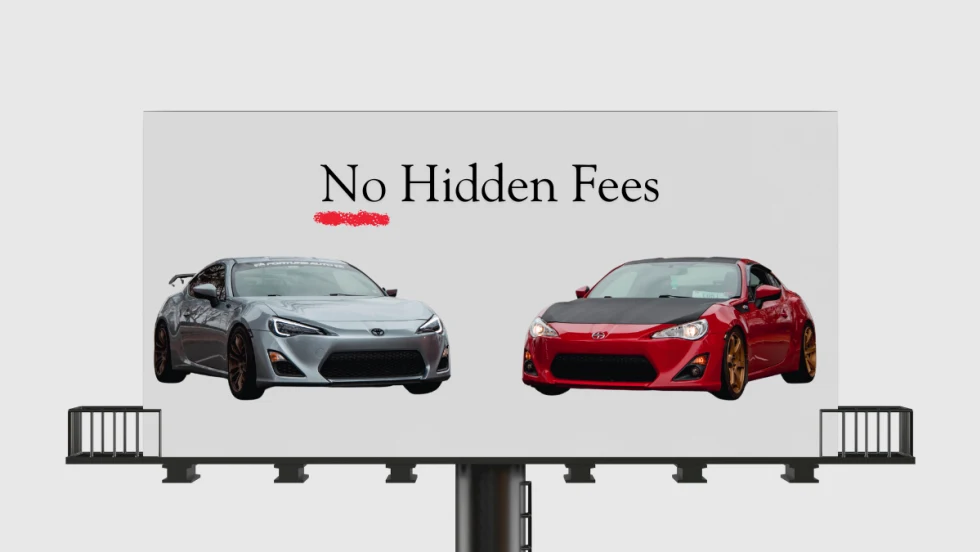
Dealer Ads and the FTC
The agency has made it clear in recent enforcement actions and warnings, in auto retail and other industries, that advertised prices must include all nonoptional costs to the consumer.
Read More →
Used Autos Supply Dwindles
The March shopping surge, despite high prices, cut into inventory by the most since the thick of the pandemic, Cox Automotive analysts calculated.
Read More →